

More and more new features are on the way!

Life is memories.

It’s been over half a year since the app was released globally in January 2026. The Hobonichi Techo App has been by your side for your daily record-keeping. And now, it’s becoming even more fun and convenient with exciting new updates! From new features developed in response to user suggestions to new content to help you choose next year’s techo, here’s what’s coming in future updates.

  • App Store
  • Google Play Store
What's new 01 Updates scheduled for September and November

Tracking your daily mood

and habits in the app

Ever since we launched the Hobonichi Techo App, we’ve received many requests asking for a mood tracker to record your moods and a habit tracker to manage your habits. Now, they’re finally here! In response to your requests for a smarter way to keep a life log, we’re planning to add a mood tracker in September and a habit tracker in November.

Tracking your daily mood and habits in the app

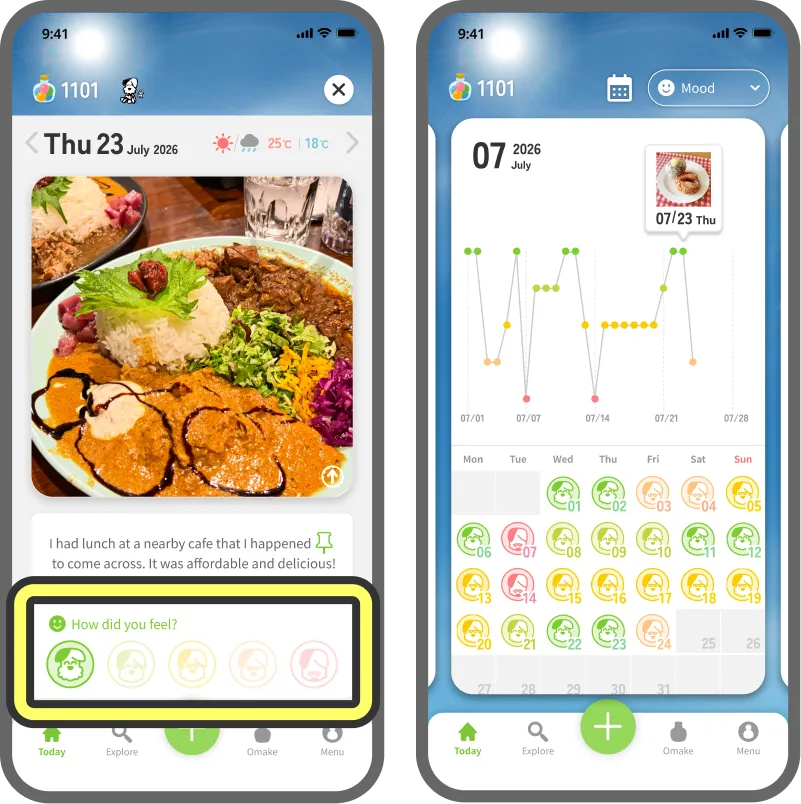
Log your daily mood with stamps.

While you’re picking Today’s Cover, tap the stamp that matches how you’re feeling. By looking back at your calendar, you can see how your mood changed over the course of the month.

Highlights

Pick a stamp featuring your Senpai, whose expressions range from Good to Bad. Choose your favorite color scheme for the five mood levels from three different options.

Note: The mood tracking feature is available to all users, including those using the Free Plan.
Log your daily mood with stamps.

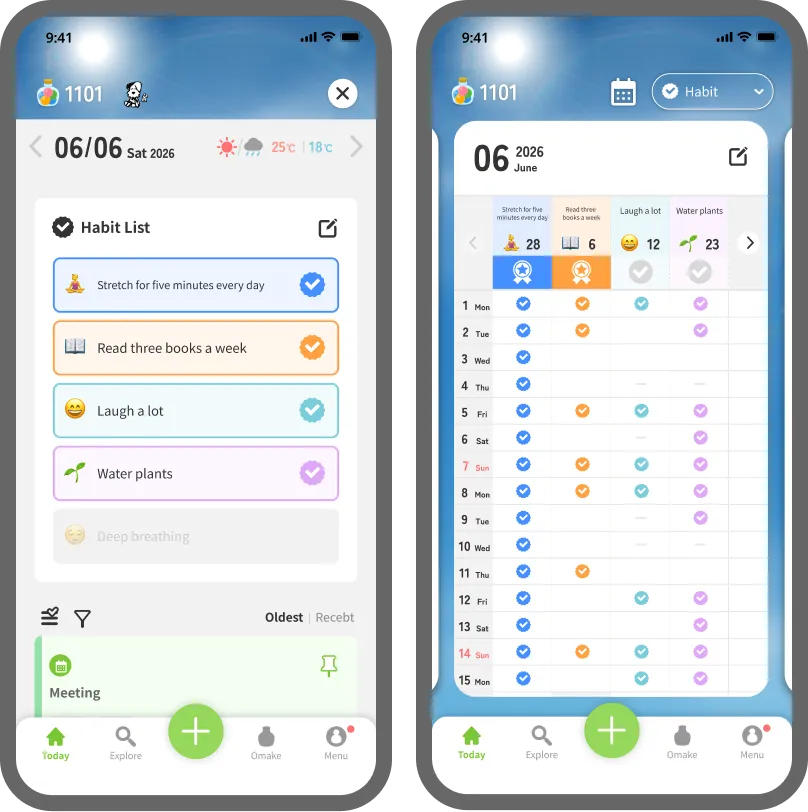
Check your habit progress at a glance.

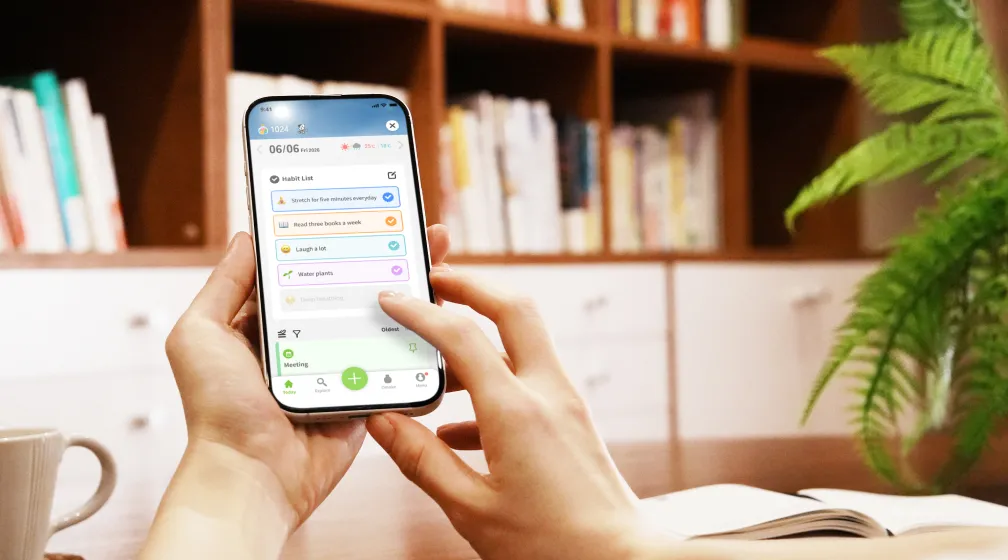
Add your own habits to track, such as “stretch for five minutes every day” or “read three books a week.” By simply checking off your habits on your daily timeline, you’ll be able to review your progress for that month. Use the app to record quick logs, then take your time to transfer your entries to your techo over the weekend. That way, you can make the most of both!

Free Plan

Track up to 1 habit at a time.
Note: Once you stop tracking a registered habit, you can track a new one in its place.

Premium PlanPaid Subscription

Track up to 10 habits at a time.

Check your habit progress at a glance.
What's new 02 Coming Thursday, August 6

Which techo will you choose
for next year?

Introducing the In-App
“My Techo Kaigi” Feature

Note: The pictured techo and stationery are from the 2026 lineup.

Starting on August 6, we’ll begin revealing techos and stationery from the Hobonichi Techo 2027 lineup day by day in anticipation of the launch on September 1. This year, we’ve introduced the new My Techo Kaigi feature so you can have fun weighing your options as you browse the Hobonichi Techo App.

What is a Techo Kaigi?

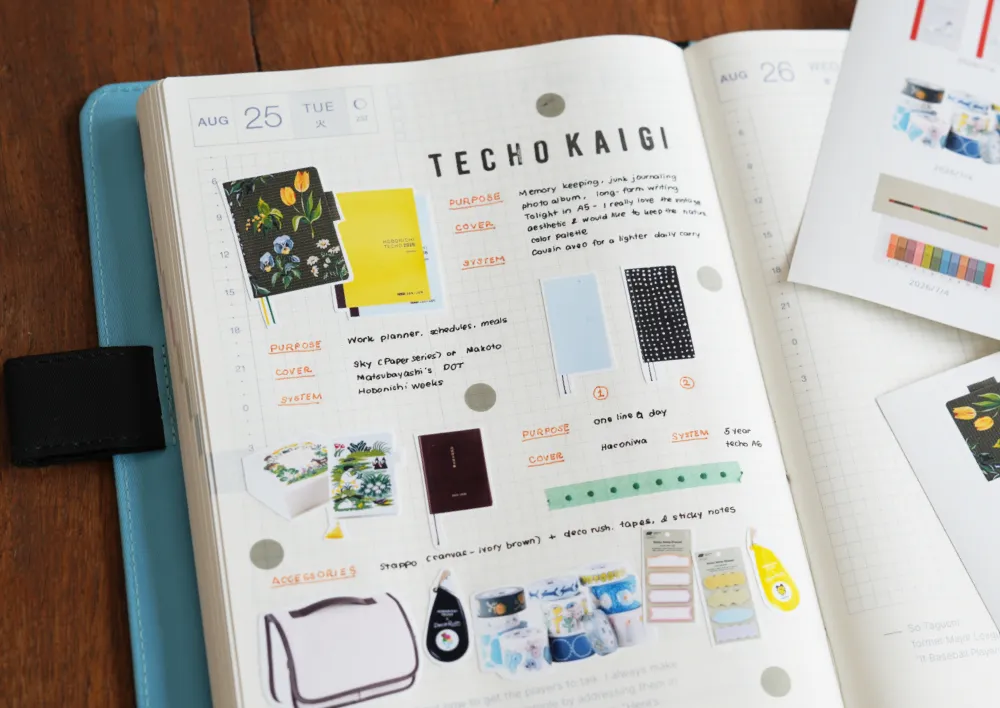
A Techo Kaigi (meeting) is all about letting your imagination roam free as you enjoy picking out your next planner. What kind of techo will you use next year? What will its purpose be? While it is called a meeting, it is usually a solo brainstorming session. If you want to think about it as you write in your Hobonichi Techo, why not try using the app too?

Which techo will you choose for next year? Introducing the In-App “My Techo Kaigi” Feature

STEP01Check daily preview updates on the app.

From August 6 to August 25, a new Hobonichi Techo 2027 update will be waiting for you each day when you open the app. As you log your day, take a moment to check the latest items!

Check daily preview updates on the app.

STEP02Tag and save the items
you’re interested in.

Once you’ve checked the latest product updates, open the My Techo Kaigi screen to see the whole lineup of techos and stationery that have been unveiled so far. If you see an item you’re interested in, tap the image to save it on the app.

Tag and save the items you’re interested in.

STEP03Time for a Techo Kaigi
with the saved items!

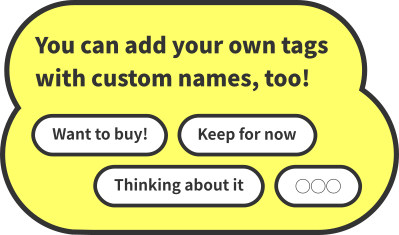
Open the search screen by tapping the Explore icon and filter by tag to see all your saved items in one place. You can easily switch between a list view for browsing lots of items and a detailed view for taking a closer look at each one.

You can add your own tags with custom names, too!!
Time for a Techo Kaigi with the saved items!

STEP04Use Memory Print to paste items

into your techo for even more fun!

Using the Memory Print feature (exclusively for Premium Plan users), you can print images of techos and stationery you’re interested in and paste them into your physical techo. If you’re planning to arrange photos in your Hobonichi Techo, we recommend using the large print size (44 x 33 mm).

Highlights

The latest Memory Print update lets you print photos even if they haven’t been clipped to your Cover.

Use Memory Print to paste items into your techo for even more fun!
What's new 03

Exciting features
to look forward to

— change your Senpai
and play minigames!

We’re also working on more features to make the Hobonichi Techo App even more accessible and fun.

  • See content from “X Years Ago Today!”

    See content from

    “X Years Ago Today!”

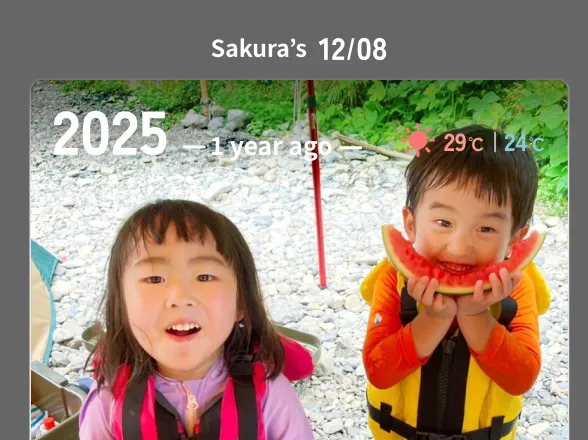
    Once you’ve used the Hobonichi Techo App for over a year, you’ll start seeing “X Years Ago Today” at the bottom of your daily timeline. Add another layer to your daily reflections by checking what you were up to a year ago.

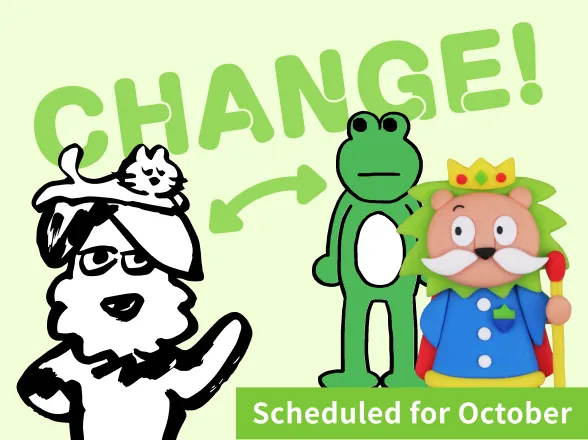
  • Change your Senpai

    Change your Senpai

    If you’ve spent a lot of time with your Senpai, you can replace them with another Senpai. Of course, you don’t have to change your Senpai if you don’t want to! Details will be announced soon.

  • Play new minigames with Omake

    Play new minigames

    with Omake

    We’re developing minigames that let you play using the Omake rewards you earn as you use the app. Stay tuned!

Update Schedule

August
My Techo Kaigi(from August 6) X Years Ago Today
September
Mood Tracker
October
Minigames played with Omake Senpai Switch
November
Habit Tracker

Our app has come a long way!

A look at updates over the past year

Since its launch in January 2026, the Hobonichi Techo App has grown with the addition of various new features. For those new to the app, and those coming back to the app after some time away, here are some of the app’s new features.

  • Easy printing at convenience stores with Memory Print!

    Easy printing
    at convenience stores

    with Memory Print!

    You can now create your print data in the app and print it by simply scanning a QR Code at a participating convenience store.

  • New stickers to paste on Today’s Cover

    New stickers to paste on

    Today’s Cover

    You can exchange Omake for stickers. Even if you don’t have any photos that day, you can create a cover with artwork that matches your mood.

  • Madame Froggo tells your fortune for 10 Omake

    Madame Froggo tells
    your fortune
    for 10 Omake

    Spend 10 Omake to have your fortune told once a day. You can use the result directly as Today’s Cover. The background music is a nice touch.

  • Customize your app icon with your favorite design

    Customize your app icon

    with your favorite design

    Spend Omake to change your app icon to a design of your choice. This changes the icon displayed on the home screen of your smartphone.

Tons of other little improvements!
You can now choose whether your calendar starts on Sunday or Monday.
You can now manually add entries for Places Visited and Sleep.
The Today’s Healthcare and Schedule features can be re-synced with data from your device.

...and more!

Guided by your feedback, we’ll continue to improve the Hobonichi Techo App, one feature at a time. Please stay tuned for more updates to come!

So this is what they mean by jam-packed! Ribbit.
Totally! How sweet! senpais